 Fiskar
Build real Android apps from your phone.
You describe the app. Claude Code builds it on your own Mac. You watch the screens appear, point at what's wrong, and install the result, all from the phone.
Free. No servers of ours. Your code stays on your Mac and in your own GitHub.
AI builds what you ask for. Everything else is on you.
The same problems come up again and again when you build apps with an AI coding agent. Every part of Fiskar exists to remove one of them.
You forget things
Sign-in, empty screens, error messages and offline only come up after testers complain. The Don't forget checklist puts them in the plan before Claude starts.
You can't see or steer it
See every screen within minutes. Tap what's wrong and Claude gets the exact file and line. Approve changes with one tap from a notification.
Your usage runs out
Free tools do the routine work, small tasks go to the cheapest model that works, and a receipt on every step shows what you used and saved.
It isn't yours
It runs on your own Mac with the Claude plan you already have. Code goes to your private GitHub. No credits, no lock-in, no extra bill.
Your phone steers. Your Mac does the work.
Fiskar is the remote for a coding agent that runs at home. The phone and the Mac talk over a private Tailscale link, so nothing passes through anyone else's server.
Fiskar
Describe, approve, point at what's wrong, check and install. Works anywhere.
Tailscale link
The bridge
Runs Claude Code, renders screen previews, builds quietly and runs checks with free tools.
account
Your repo
Every change is saved. Every build is a release you can install or share.
From an idea to an installed app, without the computer.
Five tabs: Home, Design, Screens, Checks and Usage. These are real screens from the app, showing the sample bakery app "Crumb & Co".
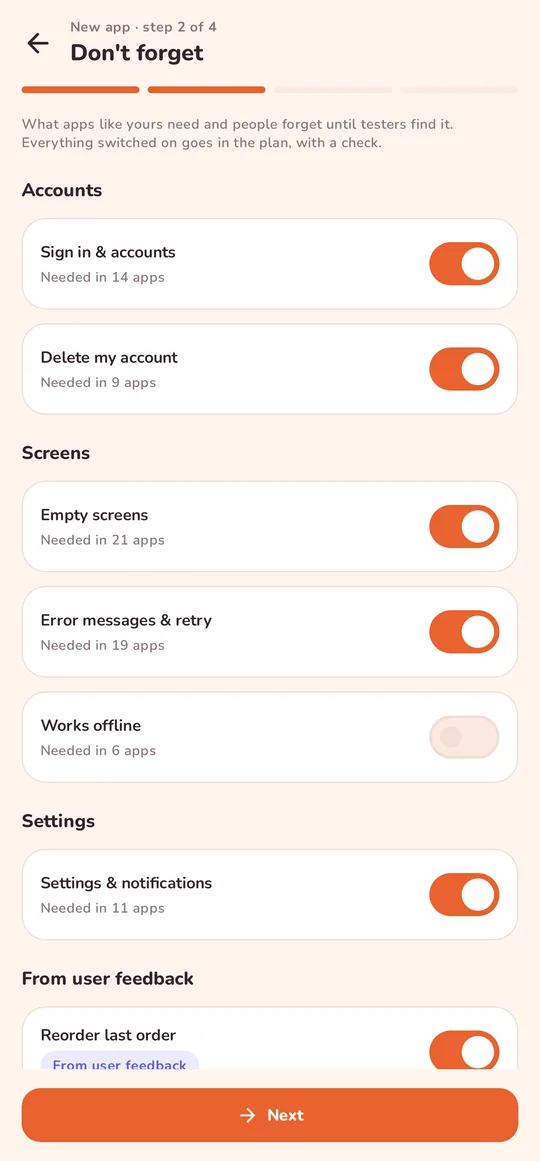
Describe it. Then don't forget.
Answer a few questions by tapping. Fiskar suggests what apps like yours need: sign-in, empty screens, errors, offline, account deletion. Switch on what matters and each one goes in the plan with a check.
Mark features Must, Nice or Later. Claude builds the Musts first.
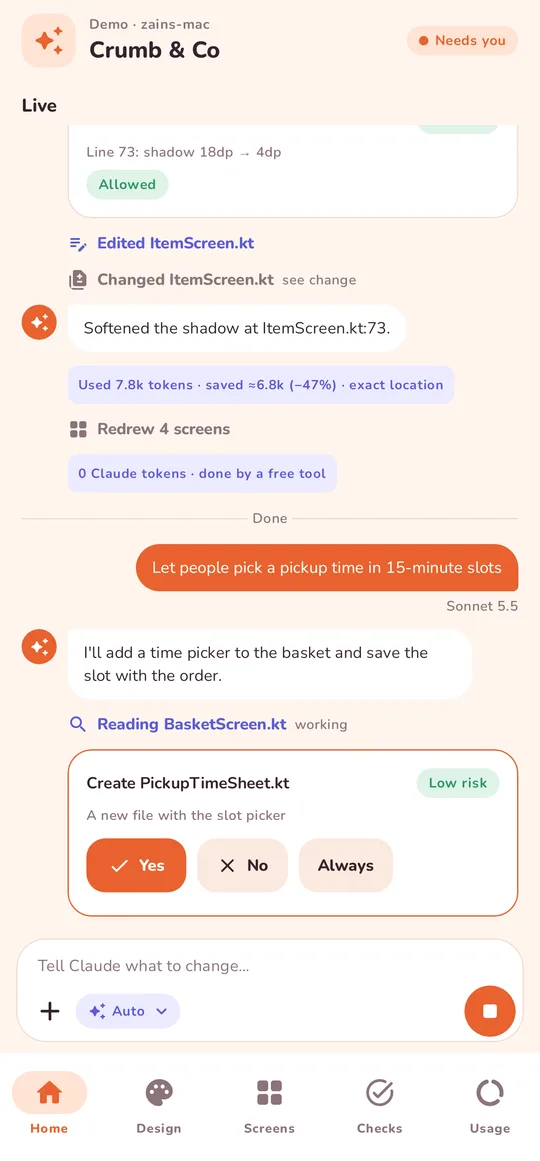
Watch it work. Approve with a tap.
See what Claude is doing as it happens. Safe actions are pre-approved on your Mac; only the rest reach you as Yes / No cards, in the app or right in a notification.
Lose signal mid-session? Nothing is lost. Messages wait and send when you're back.
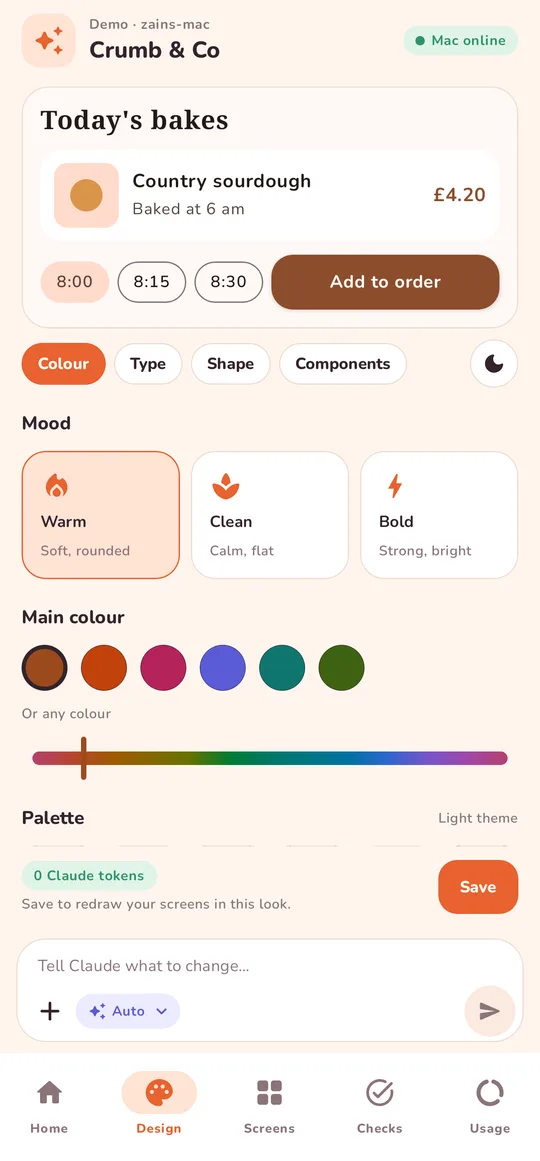
Choose the look for free.
Pick a mood and a main colour. The palette, light and dark, is worked out on the phone. Change fonts, corners, shadow and spacing. Save, and your Mac redraws every screen, with no AI usage at all.
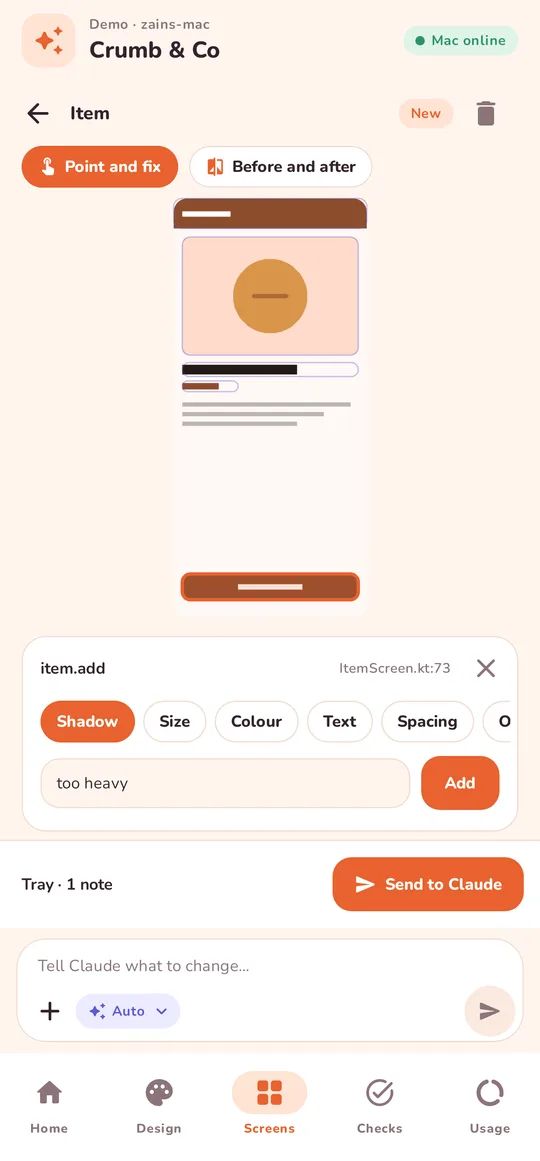
Point at what's wrong.
Every screen appears as a preview minutes after Claude starts. Tap the button that looks off, choose Shadow, Size, Colour or Text, and say what's wrong. Claude gets the exact file:line, not "the button on the second screen".
Collect several notes and send them as one. Then compare before and after, and say ✓ Good or ✗ Not yet.
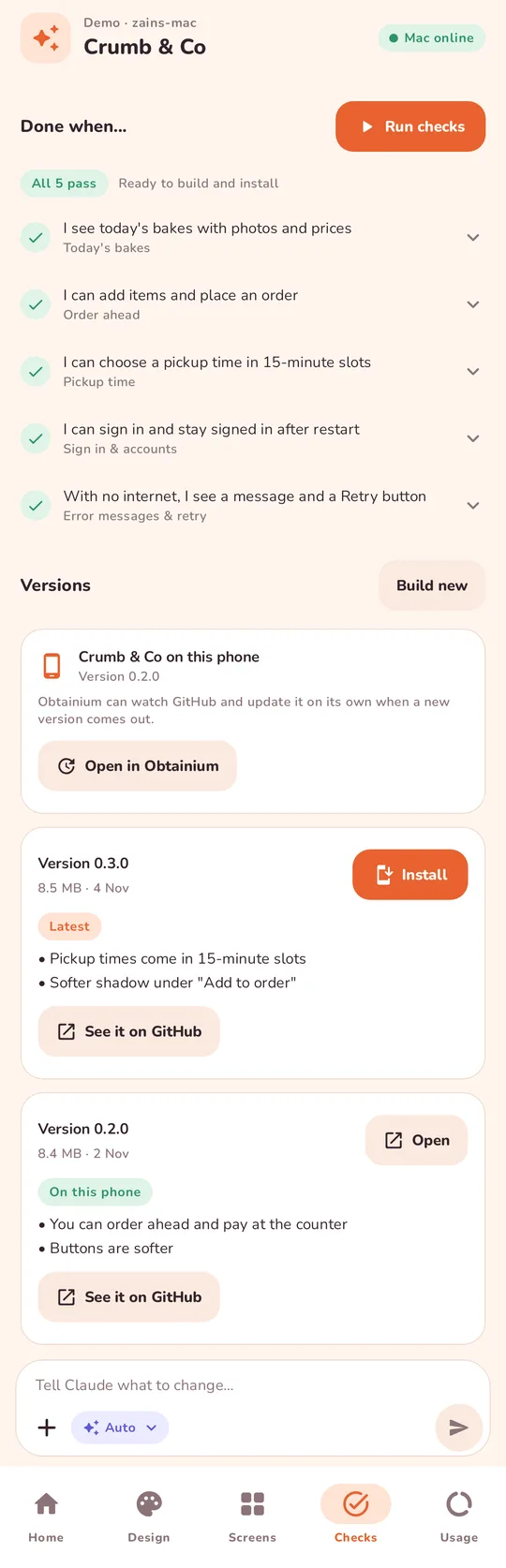
Check it, then install it.
Each feature's "done when" line becomes a check in plain words, with a screenshot of what it saw. When they pass, tap Build new, then Install. The app lands on your phone and the release is saved on GitHub.
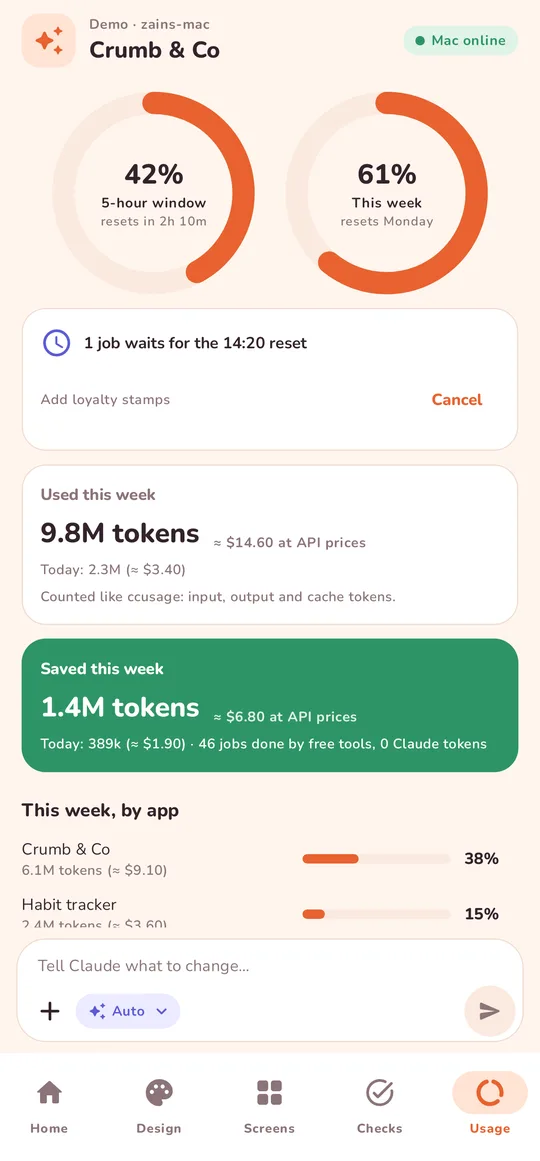
Know where your limit goes.
Rings for the 5-hour window and the week, cost per app and per feature, and what Fiskar saved you. Auto picks the cheapest model that has worked before and moves up a model when a job needs it.
Small, precise tasks make cheap models enough.
Tested on Claude Code with real tasks. Fiskar makes each job small, so a cheaper model gets it right. The two savings multiply.
file:lineFiskar is in early beta.
Join the waitlist and we'll email you an invite. You'll need an Android phone (Android 10 or later), a Mac with Claude Code, and a Claude plan. Demo mode lets you try every screen before your Mac is set up.